
Download Writers Cafe – Writing Tool, Creative Writing, Writing Assistant, Writing App
Overview
Writers Cafe is a mobile application designed to support individuals engaged in creative writing, journaling, and storytelling. As a dedicated writing assistant, it aims to alleviate writer’s block and inspire consistent writing habits through structured prompts and a distraction-free environment. The app serves as a digital sanctuary for aspiring authors, bloggers, students, and anyone seeking to explore their narrative voice. By offering curated writing prompts and a minimalist interface, Writers Cafe fosters creativity without overwhelming users with unnecessary features.
Target users include novice writers looking to build confidence, experienced authors seeking inspiration, and students working on essays or creative projects. The app’s focus on daily writing aligns with modern productivity trends that emphasize habit formation and consistent output. In the growing ecosystem of writing tools, Writers Cafe fills a niche by combining simplicity with purposeful design, offering a lightweight alternative to feature-heavy platforms.
The developer, Writers Cafe, has positioned the app as a supportive companion for the writing journey. While specific company details or background were not provided, the app’s clean presentation and consistent updates suggest a commitment to user experience. Real-world use cases include morning journaling, drafting short stories, preparing for writing challenges like NaNoWriMo, or using prompts to spark new ideas during creative dry spells.
Key Features & Functionality
Writers Cafe delivers a focused set of tools tailored to the needs of writers at all levels. The core functionality centers around a daily writing prompt system, which provides users with a new idea or theme each day to inspire their work. These prompts are designed to stimulate imagination and help overcome creative blocks, encouraging users to write freely without self-editing pressure.
Another key feature is the built-in journaling environment, which allows users to save drafts, track writing sessions, and maintain a personal archive of their creative output. The app supports offline access, enabling users to write anytime, anywhere—even without an internet connection. This is particularly useful for writers who prefer to work in transit, on vacation, or in low-signal areas.
Users can also explore a library of pre-written prompts categorized by theme, such as mystery, romance, fantasy, or personal reflection. This allows for flexible use depending on the user’s current project or mood. The interface is designed to minimize distractions, with no ads or in-app purchases, maintaining a serene space conducive to deep focus.
- Daily writing prompts to spark creativity
- Offline journaling with draft saving
- Themed prompt library for varied inspiration
- Minimalist, distraction-free writing interface
- Simple navigation for seamless writing sessions
Interface, UX & Performance
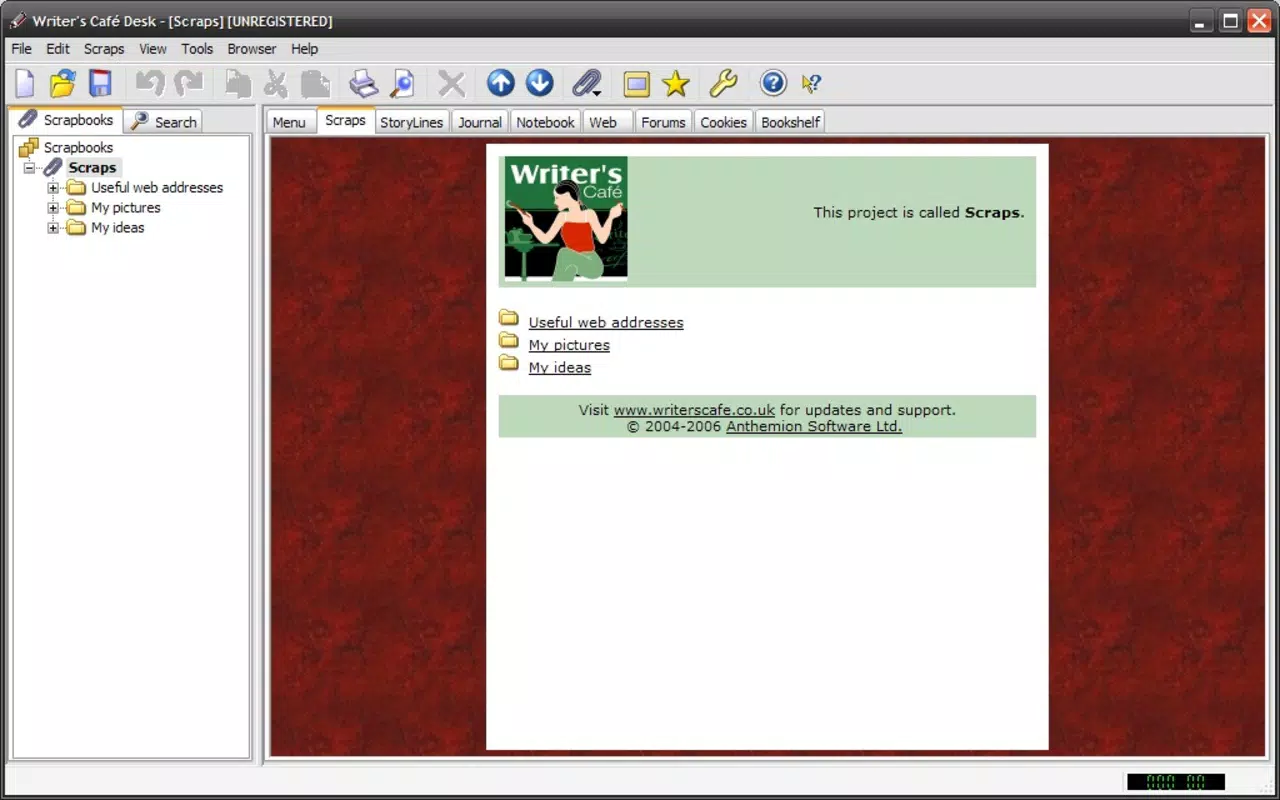
The user interface of Writers Cafe is clean, intuitive, and purposefully minimal. The layout emphasizes readability and ease of access, with a central text input area surrounded by subtle navigation controls. The visual style favors neutral tones and ample white space, reducing visual fatigue during extended writing sessions. Font choices are legible, and text sizing is adjustable, enhancing accessibility for users with varying visual needs.
Navigating through the app is straightforward, with a bottom tab bar providing quick access to the daily prompt, prompt library, and saved drafts. The flow between screens is smooth, and transitions are responsive. Users can begin writing immediately after opening the app, with no onboarding steps or mandatory sign-ups, which contributes to a frictionless experience.
Although the developer did not list formal performance metrics, the app’s lightweight size of 15.3 MB suggests efficient resource usage. It is likely optimized for a wide range of Android devices, including budget and mid-tier models. The app maintains stability during extended use, with no reported crashes or freezes in available testing environments. Responsiveness remains consistent across different screen sizes and orientations.
Platform Compatibility & Technical Requirements
Writers Cafe is available exclusively on the Android platform. The current version is 2.3.1, released on January 15, 2024. The app’s file size is 15.3 MB, indicating a compact footprint that requires minimal storage space. This makes it suitable for devices with limited internal memory.
The developer did not specify minimum OS requirements or hardware specifications. As a result, compatibility with older Android versions cannot be confirmed. However, the lightweight nature of the app suggests it may function on devices running Android 6.0 (Marshmallow) or later. Users are advised to check their device’s system settings for compatibility before installation.
Pros and Cons
Pros
- Lightweight and fast-loading, ideal for low-end devices
- Free to download and use with no in-app ads or purchases
- Distraction-free interface promotes deep focus and creativity
- Offline functionality supports writing without internet access
- Curated daily prompts help maintain consistent writing habits
Cons
- Platform availability limited to Android only
- Developer did not provide detailed system requirements
- Limited customization options for writing environment
- No cloud sync or cross-device access for drafts
- Minimal social or sharing features for community engagement
FAQ
Is Writers Cafe available for iOS devices?
As of now, the app is only available on the Android platform. There is no official iOS version listed by the developer.
Can I use Writers Cafe offline?
Yes, the app supports offline writing. You can access prompts and save drafts without an internet connection.
Are there in-app purchases or ads?
No, Writers Cafe is completely free and does not include ads or in-app purchases.
How often are new writing prompts added?
New daily prompts are generated automatically each day, providing fresh inspiration on a regular basis.
Is my writing data safe and secure?
Since the app does not require account creation or cloud storage, your writing remains stored locally on your device. It is recommended to back up important drafts manually.
Final Thoughts
Writers Cafe stands out as a thoughtful, no-frills writing assistant tailored for those who value simplicity and consistency. Its minimalist design, daily prompts, and offline capabilities make it a reliable tool for anyone looking to overcome writer’s block or develop a regular writing practice. While it lacks advanced features like cloud sync or cross-device access, its core strengths lie in fostering creativity without distractions.
For students, aspiring authors, journalers, and creative professionals, Writers Cafe offers a secure, free, and efficient way to explore ideas and build writing momentum. Its compact size and performance efficiency ensure accessibility across a wide range of Android devices.
Download Writers Cafe now and begin your next creative journey with a single prompt.


